
Cancelling a sale on Vinted can feel like a big dramatic moment, whether you’re the buyer waiting on a parcel or the seller eyeing up that pending balance like it’s the last slice of cake. But here’s the truth: cancelling is not unusual, it’s not a crime, and it doesn’t automatically cost anyone money OR trigger a negative review. The platform actually makes it pretty straightforward, as long as you do it the right way.
I’ve used Vinted for over 2,000 sales, made more than £10k, and seen almost every cancellation scenario under the sun. So let’s walk through this in a way that helps everyone, buyer or seller, feel confident about what happens next.
Can Sellers Cancel a Sale?
Yes, sellers can cancel a sale, but only before they mark it as shipped. Once the item is marked as dispatched in the app, the system treats it like it’s already on its way to the buyer, and cancellation isn’t an option anymore without going through a support or dispute process.
If you’re unsure how shipping works on Vinted, or which couriers are available, my Vinted postage guide breaks it all down really clearly, courier by courier.
Can Buyers Cancel a Sale?
Also yes. Buyers can cancel, but again, only before the seller marks it as shipped. If the seller hasn’t dispatched it yet, the cancellation goes through cleanly and the buyer is refunded automatically. No one loses money. The label gets voided. Everyone moves on.
However, if some time has passed, the seller will have to agree with the cancellation request if they haven’t yet shipped the item.
Common Reasons to Cancel (For Both Buyers & Sellers)
These are the most common, totally normal reasons people cancel:
- The seller can’t find the item
- The item was damaged after listing
- The buyer changed their mind before dispatch
- The postage option won’t work for one of you
- The listing was created by mistake
- The buyer asks for cancellation
- The parcel was stuck in a locker or depot too long and support stepped in
One thing to note for sellers using Royal Mail: always keep proof of postage if you do ship an item. You don’t need it to cancel, but if a parcel ever goes missing or a dispute opens later, Vinted may request it. My printer-free selling guide also explains what you need if you don’t have a printer at home.
Step-By-Step: How to Cancel a Sale on Vinted
1. Open the conversation
Go to Profile>My Orders and then select whether it is something you have Sold or Bought>tap the buyer/seller chat.
2. Tap the information icon
At the top of the chat you will see the buyer or seller’s username and an information icon to the right of that. Tap it
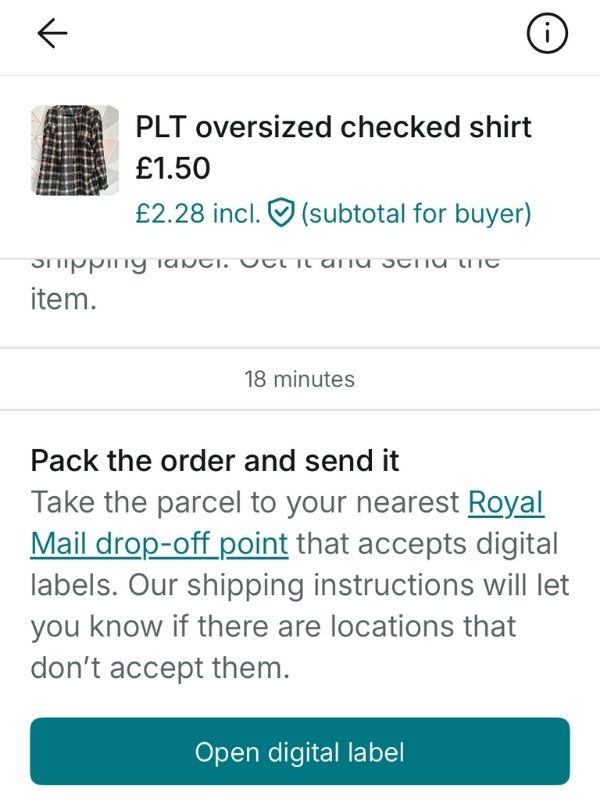
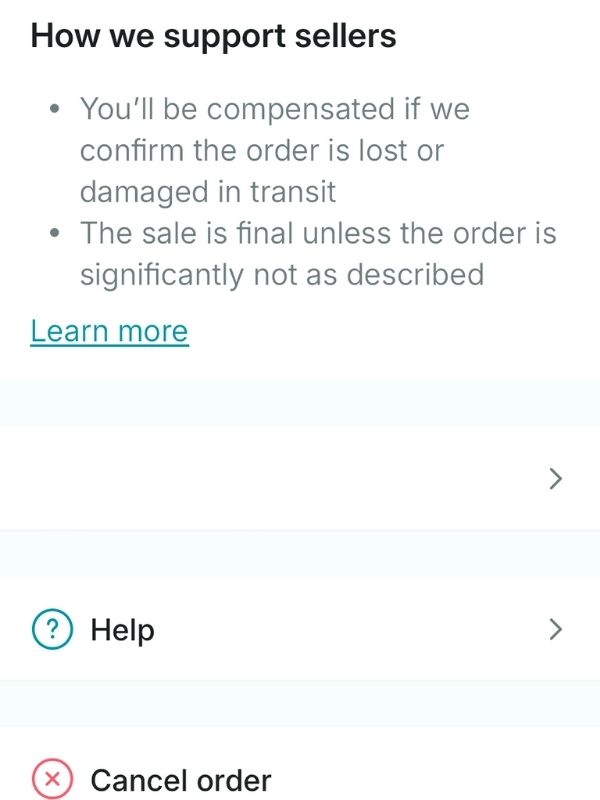
3. Tap “Cancel order”
You’ll be asked to choose a reason.
4. Choose the best cancellation reason
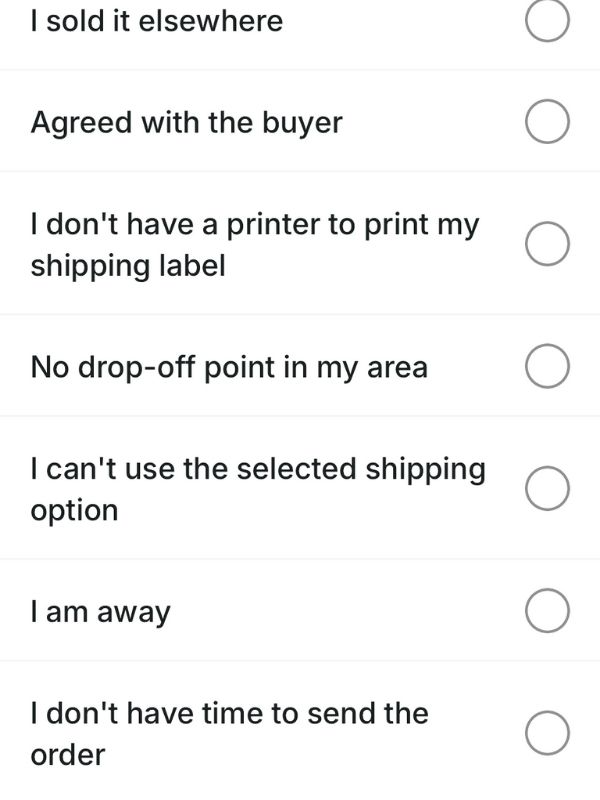
The options for a seller are:
- I sold it elsewhere
- Agreed with buyer
- I don’t have a printer to print my shipping label
- No drop-off point in my area
- I can’t use the selected shiping option
- I am away
- I don’t have time to send the order
- My parcel is bigger than the size requirements
- I don’t have the right packaging
- Other
5. Confirm
Once you confirm, this happens automatically:
- Buyer gets refunded
- Postage label/QR is voided
- Sale closes
- Seller loses nothing
- Buyer gets their money back
If you’re a seller who needs to relist the item after cancelling, my relisting guide makes it super simple and also explains why relisting gives you a fresh visibility boost in the algorithm.
What Happens to the Postage Label When a Sale Is Cancelled?
Once a sale is cancelled, Vinted automatically voids the label or QR code. That label is linked to the transaction, not the seller or buyer directly. If you try to use it after cancelling, it simply won’t scan. The system recognises it’s no longer valid.
If you want to understand how Vinted’s parcel tracking system works, my How Vinted Works beginner guide explains the journey your parcel takes and how tracking syncs to payments.
Learn more from me
I’ve made over £10,000 on Vinted with more than 2,000 sales, and I’ve poured everything I’ve learnt into two resources to help you sell with confidence.
Vinted Sales Planner – perfect for keeping track of your listings, sales, offers, postage and profit.
Make Money Selling on Vinted book – a friendly, step-by-step guide packed with real tips and strategies I use myself.
How Often Is It “Safe” to Cancel?
There’s no official number, but a good rule of thumb is:
- Occasional cancellations = totally fine
- Multiple in a short period = can trigger flags
- Honesty + calm communication = protects buyer trust
If you’re a seller cancelling due to damage or availability, you can reassure the buyer like this:
“So sorry! I went to pack this and realised there’s a small flaw I didn’t spot earlier. I’d rather cancel than disappoint you. I’ll relist it with updated photos in case you’re still interested!”
Buyers actually love that level of honesty. And if you’re the buyer in that situation, it also gives you confidence you weren’t about to receive a wonky item.
Special Notes for Buyers
If you’re the buyer and the seller cancels:
- You’ll be refunded automatically
- You don’t need to do anything
- You can still rebuy if they relist it
- Your buyer protection isn’t affected by the cancellation
If you’re unsure whether the seller might be cancelling because something looked dodgy, check out my common scams guide so you know what red flags actually look like.
Special Notes for Sellers
If you’re the seller and the buyer asks to cancel before dispatch:
- You can cancel cleanly
- You don’t lose money
- It’s better to cancel than ship to someone who doesn’t want it
- You can relist immediately if the item is still available
If you’re worried about views dropping after cancellations or stale listings, my Items Not Selling guide helps you troubleshoot low views and sales slumps in a very calming, practical way.